
vicmaster/framesmith
vicmaster TypeScript7updated 3mo ago
Open-source MCP server that gives AI assistants a visual design canvas, rendering HTML/CSS scene graphs to PNG via headless Chromium.
ClaudeCodexCursorMCP
aicanvasclaudedesign-toolshtml-cssmcpmcp-servermodel-context-protocolpuppeteertypescript
README
framesmith
An open-source MCP server that gives your AI coding agent a visual canvas. Sketch the UI, review it in a browser, agree on the design — before any framework code gets written.
Contents: Viewer · Installation · Tools · Usage Example · Workflow · Development
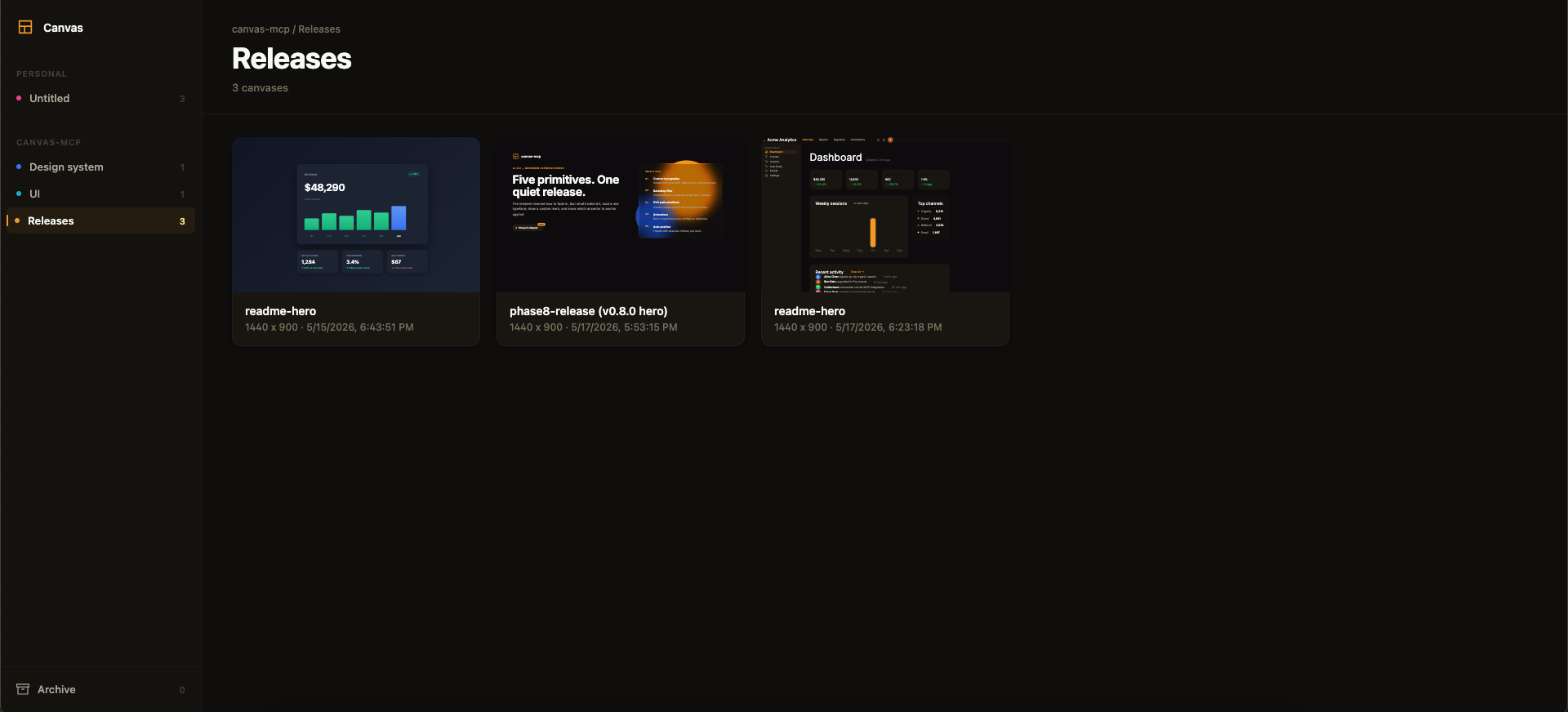
Above: the framesmith viewer. Workspaces and projects in the sidebar, canvases as live thumbnails on the right. AI agents create canvases via MCP tools; you browse them like Figma files.
MCP Client → stdio → framesmith server
                        ↓
              Scene Graph (in-memory JSON tree)
                        ↓
              HTML/CSS Renderer (inline styles)
                        ↓
              Puppeteer (headless Chromium → PNG)
Viewer
Run npx -p framesmith framesmith-viewer to start the standalone browser viewer (default port 3001). Open any canvas to review it at multiple breakpoints, compare them side-by-side, inspect the underlying JSON, or archive / delete.
![framesmith canvas detail view — the phase8-release canvas open with Mobile / Tablet / Desktop / Compare / Fit / JSON / Archive / Delete buttons in the top toolbar, rendered canvas content below showing a glassmorphic release-notes layout](https://raw.githubusercontent.com/vicmaster/framesmith/master/docs/