
apify/apify-mcp-server
apify TypeScript12.0kupdated 19d ago
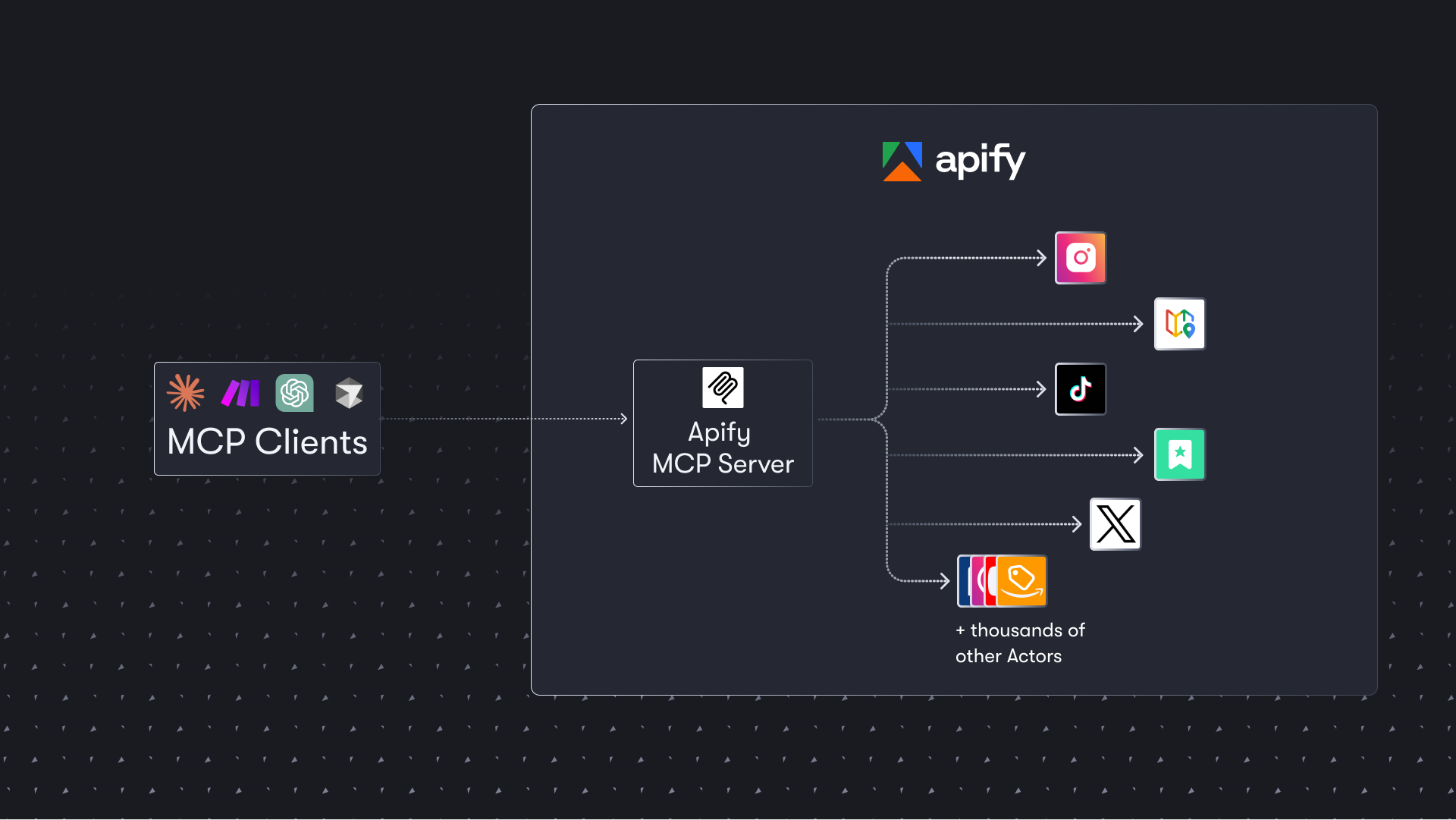
The Apify MCP server enables your AI agents to extract data from social media, search engines, maps, e-commerce sites, or any other website using thousands of ready-made scrapers, crawlers, and automation tools available on the Apify Store.
ClaudeCodexCursorMCP
agentsaimcpmcp-server
README
<h1 align="center">
<a href="https://mcp.apify.com">
<picture>
<source media="(prefers-color-scheme: dark)" srcset="https://raw.githubusercontent.com/apify/apify-mcp-server/refs/heads/master/docs/apify_mcp_server_dark_background.png">
<img alt="Apify MCP Server" src="https://raw.githubusercontent.com/apify/apify-mcp-server/refs/heads/master/docs/apify_mcp_server_white_background.png" width="500">
</picture>
</a>
<br>
<small><a href="https://mcp.apify.com">mcp.apify.com</a></small>
</h1>
<p align=center>
<a href="https://www.npmjs.com/package/@apify/actors-mcp-server" rel="nofollow"><img src="https://img.shields.io/npm/v/@apify/actors-mcp-server.svg" alt="NPM latest version" data-canonical-src="https://img.shields.io/npm/v/@apify/actors-mcp-server.svg" style="max-width: 100%;"></a>
<a href="https://www.npmjs.com/package/@apify/actors-mcp-server" rel="nofollow"><img src="https://img.shields.io/npm/dm/@apify/actors-mcp-server.svg" alt="Downloads" data-canonical-src="https://img.shields.io/npm/dm/@apify/actors-mcp-server.svg" style="max-width: 100%;"></a>
<a href="https://github.com/apify/actors-mcp-server/actions/workflows/check.yaml"><img src="https://github.com/apify/actors-mcp-server/actions/workflows/check.yaml/badge.svg?branch=master" alt="Build Status" style="max-width: 100%;"></a>
<a href="https://smithery.ai/server/@apify/mcp"><img src="https://smithery.ai/badge/@apify/mcp" alt="smithery badge"></a>
</p>
The Apify Model Context Protocol (MCP) server at mcp.apify.com enables your AI agents to extract data from social media, search engines, maps, e-commerce sites, and any other website using thousands of ready-made scrapers, crawlers, and automation tools from Apify Store. It supports OAuth, allowing you to connect from clients like Claude.ai or Visual Studio Code using just the URL.
🚀 Use the hosted Apify MCP Server!
For